

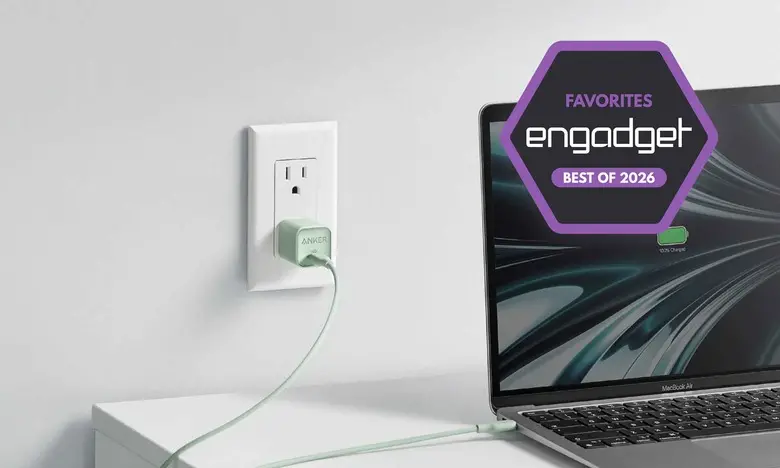
Key facts at a glance
- Fast chargers are now a necessity because many phones, tablets and laptops ship without power adapters.
- GaN chargers are 30 to 50 percent smaller and lighter than silicon-based alternatives.
- Choosing a charger requires matching wattage to your devices, counting ports and planning for travel.
- USB-C Power Delivery is the most common universal standard, but proprietary systems like OnePlus SuperVOOC can deliver much higher speeds.
- Fast charging has a minor effect on long-term battery health when you use compatible accessories.
- Most industry observers consider any charger above 15 to 18 watts to be fast.
Fast chargers are no longer a nice-to-have accessory. Many of the most popular phones, tablets, wireless earbuds and even laptops ship without a power adapter in the box. That shift has made the wall brick one of the most important pieces of equipment you own. The right charger can fully recharge a smartphone in under an hour, keep a laptop alive through a long meeting or top up a family's devices overnight. A poor one can leave you tethered to an outlet for hours or generate unnecessary heat that stresses the battery.
With so many wattages, port layouts and charging standards on the market, finding the best fast charger depends on how and where you charge. This guide breaks down the key facts from our testing and explains what to look for before you buy.
What to consider before buying a fast charger
Before you start looking at specific chargers, you need to answer three questions. How many devices do you need to charge at once? How much power do those devices actually require? And are you planning to carry the charger in a bag or keep it on a desk? These questions matter because a charger that is perfect for one person can be frustrating for another.
If you only need to charge a single device, such as an iPhone or Android phone, it is usually cheaper and more compact to buy a low-wattage adapter with one USB-C port. A dedicated charger with one port is also easier to slip into a pocket or backpack. If you own a laptop, a tablet, a phone and a pair of earbuds, a multi-port GaN charger is almost always a better investment. It allows you to carry one brick instead of several.
Matching wattage to your devices
It is critical to figure out how much electricity your gadgets need. Most manufacturers list a product's maximum charging speed in its technical specifications. This is usually expressed in watts, for example 20W or 65W. A charger can only send as much power as the device allows, so buying a 100W brick for a phone that maxes out at 25W will not make the phone charge faster. It will simply provide more headroom for other devices.
Smartphones commonly need between 15W and 45W with USB Power Delivery. Many tablets sit in the 20W to 30W range. Ultrabooks and lighter laptops often need 45W to 65W, while larger professional laptops can require 100W or more. If you own a very powerful gaming notebook, it may draw more than 140W and use a barrel-plug power supply. In that case, a universal USB-C fast charger can still send some energy in a pinch, but it will charge much slower than the included adapter.
USB-C Power Delivery and proprietary standards
For most modern gear, USB-C Power Delivery, or USB PD, is the standard you want. It is supported across laptops, phones, tablets, earbuds, handheld gaming systems and many other accessories. However, some smartphone brands use proprietary charging standards to push power beyond what generic USB-PD chargers can deliver. For example, the OnePlus 13's included SuperVOOC adapter can send up to 100 watts to the phone. If you use a generic USB-PD charger instead, charging speeds drop to 45 watts. That is still quick, but it is less than half the maximum speed.
Similar situations exist with other smartphone makers. Samsung, Xiaomi, OPPO and Motorola all have fast-charging systems that may require a compatible charger and cable to reach peak speeds. A charger with programmable power supply, or PPS, support can communicate more precisely with some Android phones and unlock faster charging. Apple's iPhones and many Google Pixel devices are more straightforward: they work well with standard USB-PD chargers from almost any brand.
Why GaN chargers are better
The biggest change in charger design over the past few years is the move to gallium nitride, or GaN. Older chargers rely on silicon switches, which produce more heat and require larger heatsinks. GaN chargers are more efficient, so they can be much smaller and lighter while still delivering high wattage. Depending on the power output, a GaN adapter can be 30 to 50 percent smaller than a silicon-based equivalent. That makes a huge difference when you are packing a charger alongside a laptop and cables.
GaN chargers also tend to run cooler during fast-charging sessions. Lower temperatures are good for both the charger and the device you are charging. For frequent travelers, a compact GaN charger is almost always a better choice than an older, bulkier adapter. Even desktop users benefit from the improved efficiency and lower heat.
Ports and power sharing
One of the most overlooked features of a multi-port charger is how it splits power. A 65W charger with two USB-C ports may output 60W through one port when used alone, but split to 45W and 20W when both ports are in use. A 100W charger may offer 65W for a laptop and up to 30W for a phone at the same time. Always check the port output table before choosing a charger. Some chargers label the ports clearly, while others list the full details on the manufacturer's website.
If you travel with a laptop and a phone, choose a charger with at least 65W total output and two USB-C ports. If you also carry earbuds and a smartwatch, a third USB-A or USB-C port can be useful. The charger should be able to deliver at least 45W to a laptop while still providing enough power for a phone. If you often charge several devices overnight, a desktop-style charging station with four or five ports is the most convenient solution.
Fast charging and battery health
There is a common worry that fast charging damages batteries. Technically, any charging process causes some degradation over time, but fast charging itself is not inherently dangerous. The main enemy is heat. Modern devices and chargers use protocols that monitor temperature and adjust power levels to keep everything within safe limits. When you use a compatible charger and a quality cable, the impact on long-term battery life is generally small.
Problems usually come from cheap, poorly made chargers that do not negotiate power correctly, or from cables that cannot handle the current. A low-quality cable can create resistance, produce heat and slow down the charging session. For best results, use a USB-C cable with the correct wattage rating for your charger. If you are charging a 100W laptop, look for a cable rated for at least 100W, and ideally one that uses the electronic marker, or e-marker, chip built into most 5A cables.
Best fast chargers for 2026 by use case
After testing dozens of adapters, the best fast chargers for 2026 fall into a few clear categories. For a single smartphone or a pair of earbuds, a compact 20W to 30W USB-C charger is the simplest choice. It is small enough to attach directly to a wall outlet without blocking the second socket, and it can fully recharge most phones in about an hour.
For laptop owners, a 65W or 100W GaN charger with two or three ports offers the best balance of speed and portability. A good example is the current generation of compact adapters from Anker, which continue to refine the formula with folding prongs and intelligent power sharing. Similar options from Belkin, Ugreen and Baseus also perform well in testing. These chargers can run a laptop, recharge a phone and still have one port left for earbuds or a power bank.
Frequent travelers should look for a GaN charger with foldable prongs, multi-voltage input for international use and a total output between 65W and 100W. If you visit countries with different plug shapes, add a universal travel adapter or choose a charger that includes interchangeable plug heads. For people who charge at a desk, a desktop hub with 150W to 200W total output is a great option. It can handle a laptop, a tablet and a phone at maximum speed simultaneously, eliminating the need for several separate bricks.
Fast charger FAQs
What is GaN?
GaN stands for gallium nitride, a semiconductor material that has replaced silicon in many modern chargers. GaN-based chargers are more efficient, run cooler and are significantly smaller than older silicon-based adapters. The result is a compact brick that can deliver 65W, 100W or even higher output without the bulk.
Do fast chargers affect battery life?
Anyone charging a device will eventually see some battery degradation. Fast charging adds a small amount of extra heat, but modern power-delivery protocols keep temperatures and voltage levels within safe ranges. Using a well-made, compatible charger and cable makes the long-term impact negligible for most users.
What's the difference between a fast charger and a regular charger?
There is no universal definition of fast charging. However, many older chargers provide only 5W or 10W. Any adapter that can deliver more than 15 to 18 watts is generally considered fast for smartphones. With phones that support over 100W and laptops that can pull 240W, the definition is expanding quickly. The key is to match the charger to your device's actual power limits.
Source:Engadget News